Turn your track
into a video.
Rondo analyses your music on your phone and turns it into a visualizer ready to post — a vertical teaser, a Spotify Canvas, a full YouTube video. Your own photos and videos get cut to the track inside it. Your track never leaves your device.


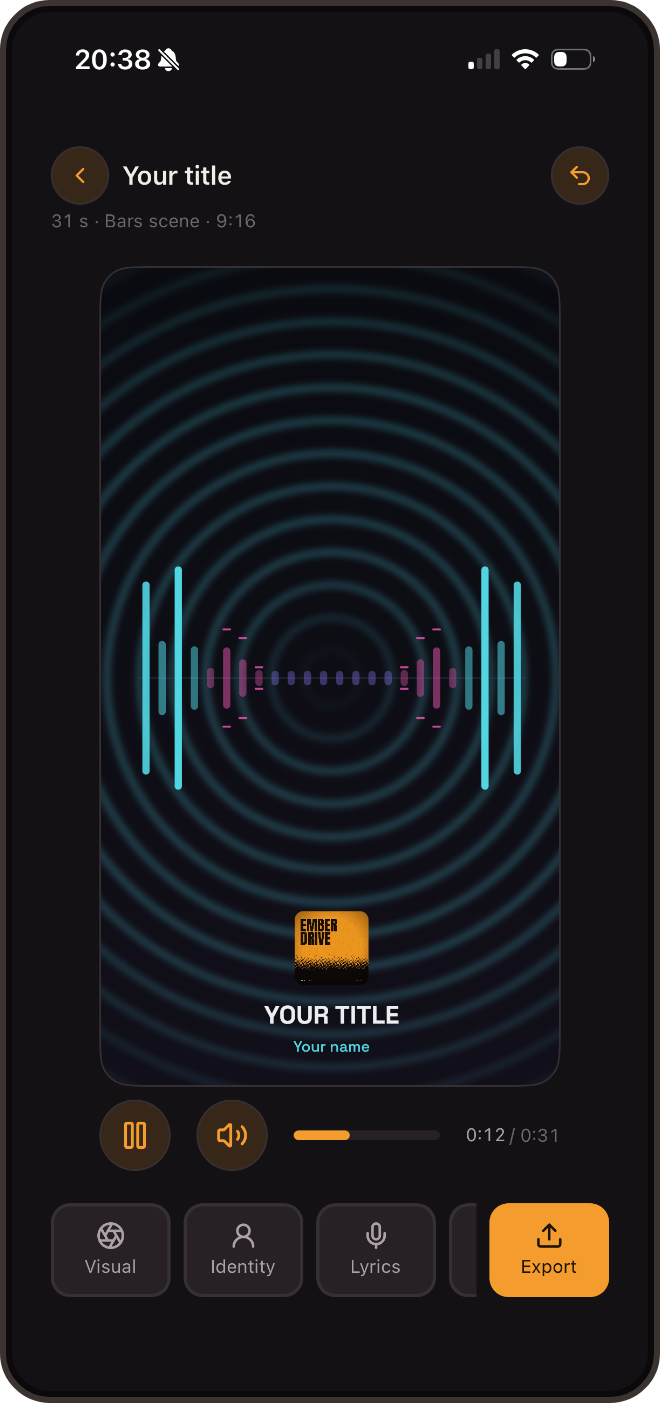
The Bars scene, in the app
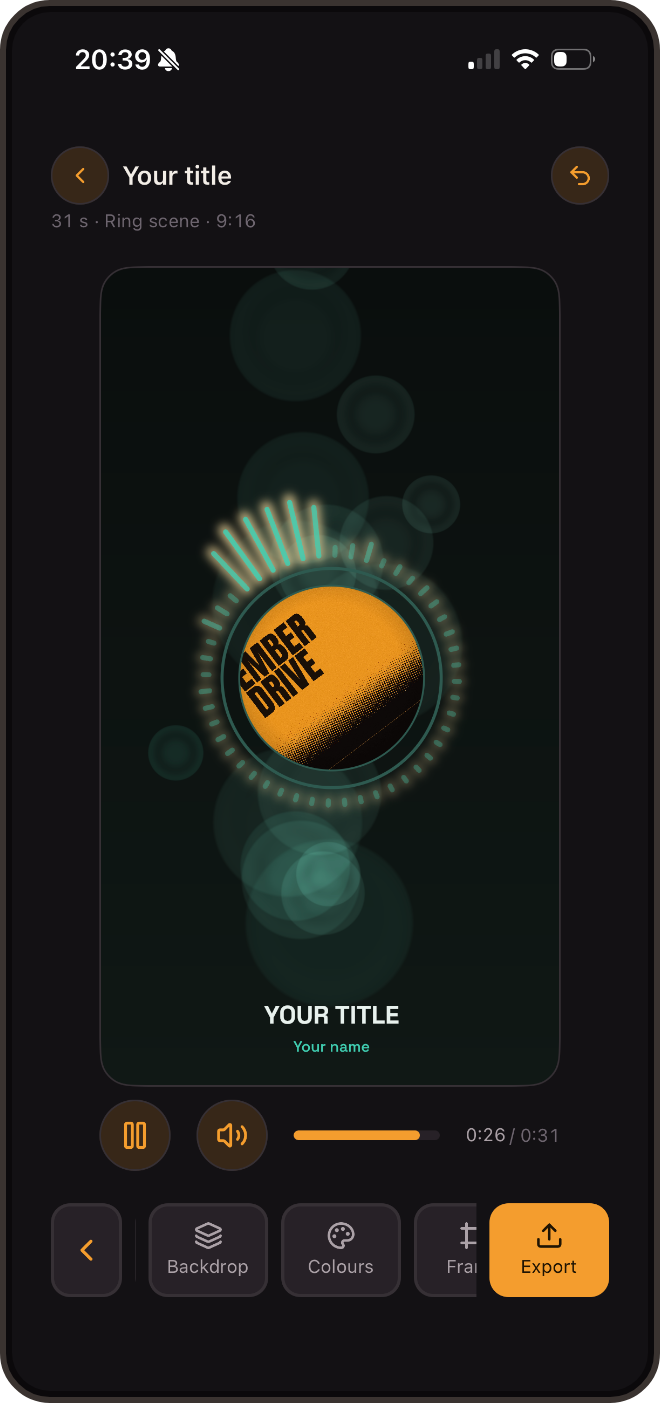
The Ring scene, in the app
Your photos and videos, cut to the track
Up to twelve media follow one another over the track, each with its own share of it. It is an edit, made with your thumb, with no computer.
Spread
Drag the boundary between two media to change who gets how long. Or let Rondo spread them: equal parts, at the changes in the track, full clips, longer and longer, shorter and shorter.
Tune
Every medium has its effects: veil, motion, blur, pump on the kick, shake, flash, glitch. Four ready-made reactivities, or your own. From a clip, you pick the passage that plays.
Transition
Seven transitions between two media — cut, crossfade, through the background, white flash, slide, zoom, wipe. A clip shorter than its share loops instead of stopping.
Everything happens on your phone
No upload, no account, no server watching. Rondo works in a studio with no signal, and on a plane.
- On-device only. Analysis, rendering, and lyrics transcription all run locally — nothing is ever uploaded.
- Every format. Vertical, square, 16:9, and a silent looping Spotify Canvas.
- Find the drop. Rondo names the parts of your track — intro, build, drop, groove, break, outro — and looks for the build that leads into the drop. Your cuts snap to them — and to the beat, because Rondo reads the tempo too: a Canvas loops on a whole number of bars.
- One scene per moment. Cut your track into scenes: the intro in one, the drop in another, each with its own settings and a crossfade at the join. Free, like the rest of the editing.
- Auto edit. One tap and Rondo writes both timelines from your track's own structure and tempo: a scene for each part, cuts on the downbeat, effects dosed by section. All of it editable afterwards.
- Live mode. The scenes on the sound of the room — a studio session, a set, a party. The microphone feeds the analysis in real time, nothing is ever recorded, and over HDMI the visuals move to a TV or a projector. Free.
- Synced lyrics. On-device transcription with easy correction, in English, French and Spanish — with a karaoke sweep, and a proofread by your phone's own language model that never touches the timings.
- Your identity. Brand color or the colors of your artwork, typefaces, and six starter looks — plus yours, reused in one tap.
- Your own iCloud. Optional backup goes straight to your iCloud account — never to a server of ours.
- Set mode. Chain your projects full screen and project them on a TV (AirPlay, HDMI) — or export the whole set as one video, with YouTube chapters ready to paste.
- Widget mode. The scene in a movable frame — wide, square or tall — with your media showing around it.
- Two stickers for your stories. Player, the now-playing card with artwork, title and a progress bar that really moves. Wave, the track's waveform with its playhead.
25 scenes, 18 backgrounds
All of them listen to the track — kick, mids, highs, spectrum. Not one of them merely moves in time.
Sound, made visible
Console bars, a ring pulsing on the kick, a waveform orb, spectrogram, needle VU meters, an LED equalizer with peak-hold, a neon oscilloscope, liquid, lava-lamp blobs, dot rain, particle bursts, tunnel, nebula, kaleidoscope, a field of light motes, slow curls of smoke.
Scenes that tell a story
A beatbox crew whose mouths articulate your track, a turntable wearing your artwork, a night skyline whose windows are the equalizer, a note highway where every hit lands on the beat, a neon sign with your own text, a cassette whose reels empty as it plays, a eurorack panel whose knobs follow the bands.
Backgrounds that live
Gradient, aurora, film grain, amp glow, waves, haze, oscilloscope sweep, vinyl grooves, retro sun-and-road, pixel dithering, hyperspace, drifting colour mesh, night bokeh, rain on a lake, cassette wear — and two light ones, paper and halftone print, which turn the whole palette over. Plus your own media, and a CRT effect over everything.
Built for people who make music
Not for marketers.
Beatmakers
Post a snippet the moment it's ready, without uploading an unreleased master anywhere.
Indie artists
Release day: a teaser, a full visualizer, and a Canvas — the same track, three formats.
Podcasters & labels
Save your look as a preset once, reapply it on every new episode in one tap.
DJs
Your tracks as a continuous set, projected on the screen behind you — the visuals follow the mix, looping all night.
The Rondo guides
What actually works to show your music — no fluff.
Make a Spotify Canvas
The specs (3–8 s, 9:16, perfect loop), the one-minute method, and the mistakes that show.
A snippet that hooks on TikTok, Reels & Shorts
The hook in the first second, the right length, the caption — and why native uploads win.
The release-day visual checklist
Four formats, one single look, from D-7 to release day — zero computer.
No subscription
The free version already exports without a watermark.
Rondo Pro
Unlocks every scene and background, every format, your brand color and artwork, all typefaces, synced lyrics, the CRT effect and presets — for good, on the device that bought it.